Recipe B — Habit Tracker
Free · Google login · AI · personalised onboarding. Free to use, but people sign in so their habits sync, and your AI suggests new habits.
← Back to all recipes.
Design reference
A dark, card-per-habit layout with a colourful contribution-grid (like a GitHub streak board) under each habit, plus a quick "done today" check.
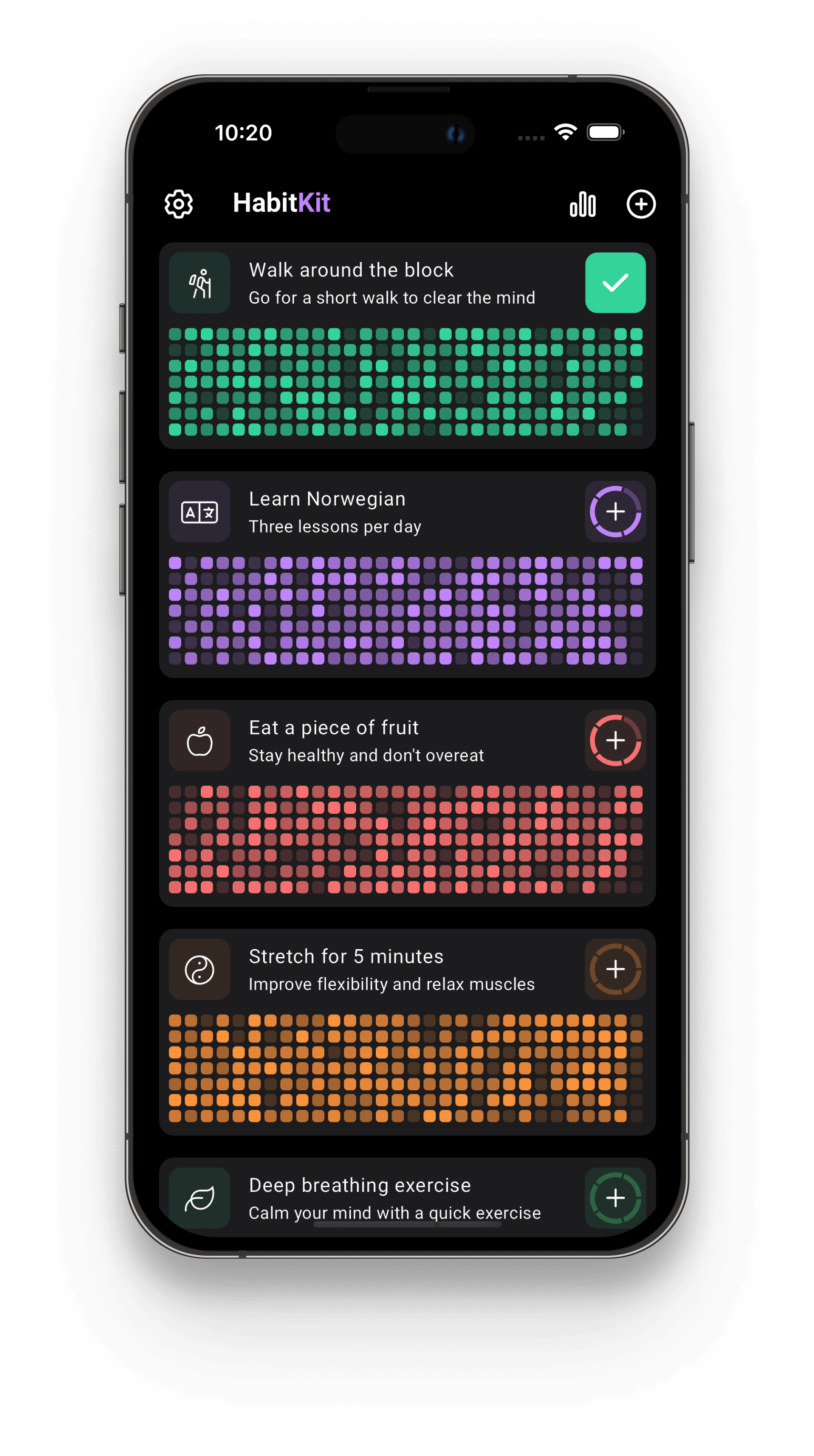
Use it as a style + layout guide — one card per habit, a streak grid, a done-today toggle. Adapt the accent colours to your brand and the components to NowKit's design system.
Setup choices
Run /kit-start-setup and choose:
| Step | Choice |
|---|---|
| What are you building? | A free app |
| Rename | com.you.habits · Habitly |
| Onboarding | Stop and run /kit-design-onboarding → a personalised quiz (goal, reminder time, motivation) |
| Brand & theme | Green #22C55E · Feather icons |
| Authentication | Supabase · Google only |
| Paywall | (auto-skipped — it's free) |
| Analytics | PostHog + Crashlytics |
| Build & run | ✔ |
Build + ship
/kit-setup-ai→ OpenRouter, so the app can suggest a new habit with AI./kit-setup-review-dialog→ ask for a Play review after a key action (e.g. 3rd habit done)./kit-design-app→ pick Screenshots / mockups and drop the reference above. Build: a habit list (card + streak grid per habit), an add-habit screen, and a done-today toggle. Store habits in Supabase./kit-plan-release-analytics→ set up a funnel (onboarding → first habit → retention)./kit-generate-legal→ privacy policy + Data Safety (covers Supabase + analytics + AI)./kit-generate-aso→ listing copy ("habit tracker", "daily streaks", "routine builder")./kit-generate-screenshots→ Play Store screenshots./kit-generate-landing(optional) → landing + privacy/terms page./kit-publish-to-play→ ship it.
What you'll see on device
A personalised quiz onboarding → Google sign-in (native sheet, not a browser) → Home. No paywall. An AI button suggests a new habit; each habit shows its streak grid.